Dawn of Defense Guides
Tower Defense, RTS sieges, and Roguelite progression — every walkthrough in one place.
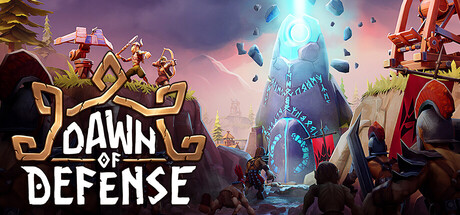
Dawn of Defense by 6side Studio mixes trench Tower Defense, island RTS sieges, and Roguelite progression into one single-player Steam campaign. Released November 17, 2026 for PC, the game asks you to defend the sacred Spiridun nexus while reclaiming islands from the Imperium Aeternum. Every run is yours alone. This hub collects the practical guides players need after launch: first-hour survival, economy planning, island captures, warlord fortress clears, meta progression, Armor and Ward combat, and Blood Moon climbing.
Use the links below as a map. New players should start with Getting Started, then deepen economy with Economy & Resources before committing to aggressive Capture Islands pushes. When fortress warlords appear, study Beat Warlords and Armor & Ward so Banner Carrier counters are ready. Spend permanent progress with Meta Progression, then climb Blood Moon when fortress clears feel consistent.
Core loop at a glance
Every run follows the same pressure cycle. Enemy waves march trenches toward Spiridun. You place towers — Boltskot, Skullbrakkr, Tarbarl, Eyodin, Krokran — along those lanes while training Axemen, Spearmen, Shieldbearers, Shieldmaidens, and Catapults for offensive work. After each cleared wave you pick one of three Runestones: temporary upgrades that reshape the current run. When the run ends, win or lose, you earn Runes for the permanent skill tree.
The tension that defines Dawn of Defense is attention split. Spending too long on an island siege lets trench waves breach. Sitting forever on defense starves you of plots, deposits, and the island economy that funds late towers. Strong runs treat defense and offense as one clock, not two separate games.
Guide index
Getting Started
First-hour checklist: finish the tutorial, protect Spiridun, bootstrap Wood and Food, place early towers, and know when to train your first warband. Includes a safe early build order and a mid-article beginner gameplay video.
Economy & Resources
Wood, Food, Iron, and Stone explained with Sawmill, Windmill, Quarry, and Mine placement. Covers Meadhall’s 50% nearby production boost, plot limits per island, and when expanding beats turtling.
Capture Islands
RTS siege play: Bridges across trenches, Barracks timing, high-ground tower buffs, hero altar choices, and when to push the three fortresses instead of farming safer islands. Includes extended gameplay footage for visual reference.
Beat Warlords
How Empire warlords and fortress bosses punish static defenses. Armor versus Ward targeting, Banner Carrier priority, Blood Moon difficulty for more Runes, and preparation checklists before the final siege windows.
Meta Progression
Runes versus Runestones, permanent skill-tree priorities, economy-first unlocks, and how failed runs still buy power for the next attempt.
Armor & Ward
Health, Armor, and Ward layers explained with Eyodin marks, tower roles, Phalangor notes, and Banner Carrier focus fire.
Blood Moon
When to climb the top difficulty tier, prep checklists, honest Rune farming, and fortress pacing under maximum pressure.
How to use this wiki with a live run
Keep this hub open on a second screen if you can. After wave three, confirm your resource buildings follow the Economy & Resources placement rules. Before your first Bridge push, skim Capture Islands for high-ground and Barracks timing. When a warlord identity is revealed, jump to Beat Warlords and Armor & Ward and adjust tower mix immediately — Eyodin vulnerability marks and Tarbarl slows matter more once elites pack Armor or Ward.
Runestones and Runes are easy to confuse. Runestones are the three-choice, per-run upgrades after waves. Runes are the meta currency banked after every attempt for permanent unlocks. Spending Runes on economy nodes early usually accelerates later fortress attempts more than raw damage nodes, especially while you are still learning plot limits and deposit routing. Full spend order lives on Meta Progression.
Difficulty and progression notes
Full campaign structure centers on three fortresses, each with unique boss patterns. Higher difficulties up to Blood Moon increase pressure and Rune payouts — read Blood Moon before you climb. Autosave is experimental at launch — treat risky pushes carefully and see Save Files for pause and backup habits.
System requirements for reference: minimum Windows 11, Intel i5-6500, 8 GB RAM, GTX 1060; recommended Intel i5-10400 and RTX 3060. Launch price sits near $19.99 with a 10% launch discount on Steam. None of that changes the tactical truth: Spiridun death ends the run, and island greed without tower coverage ends it just as fast.
Related reading order
- Getting Started — learn the dual front.
- Economy & Resources — fund both fronts.
- Capture Islands — spend that income on map control.
- Armor & Ward and Beat Warlords — convert control into fortress clears.
- Meta Progression — bank Runes between attempts.
- Blood Moon — climb when clears are consistent.
Bookmark this Guides Hub and return after patches; build costs, tower stats, and Runestone pools can shift, but the dual-front philosophy stays the spine of Dawn of Defense.
Frequently Asked Questions
Quick answers about Dawn of Defense and this wiki.
Where should absolute beginners start?
Open Getting Started first. Finish the tutorial, protect Spiridun, and follow the early Wood and Food build order before any fortress push.
Is Dawn of Defense multiplayer?
No. Dawn of Defense is single-player only on Steam PC.
What is the difference between Runestones and Runes?
Runestones are temporary three-choice upgrades after waves inside a run. Runes are meta currency earned after each run (win or lose) spent on the permanent skill tree. See Meta Progression.
Which guide covers Wood, Food, Iron, and Stone?
See Economy & Resources for deposit placement, Meadhall boosts, and expand-versus-defend timing.
How do I prepare for fortress warlords?
Read Beat Warlords and Armor & Ward for counters, Banner Carrier priority, and siege preparation. Climb Blood Moon only after consistent clears.